Medicine reminders
A medicine reminder app that follows your meals
Prescriptions in India say “before food”, “after food”, “empty stomach”. Kinsu reminds you the same way: around your breakfast, lunch, dinner and bedtime, not just at clock times.
What it does
Each medicine at the time your doctor meant.
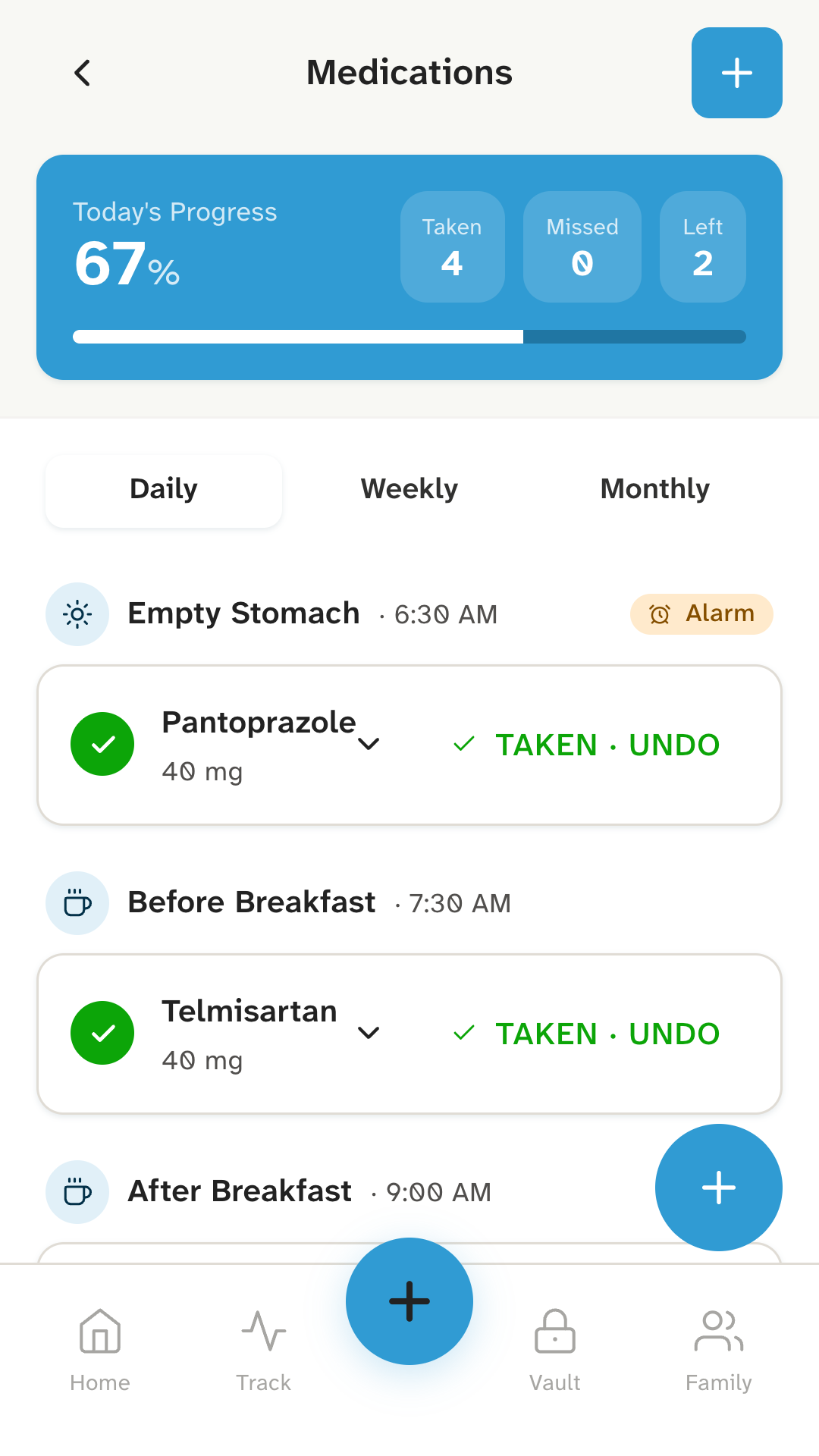
Around your meals. Set a medicine for an empty stomach, before or after breakfast, lunch or dinner, bedtime, or a time of your own. If you take it more than once a day, pick each time and every one gets its own reminder.
On the right days. Daily, weekly on the days you choose, or monthly on a date. A weekly medicine only shows up on its days, so it can’t be mistaken for a daily one. For a medicine you take only when needed, Kinsu sends no reminders and you note each time you take it.
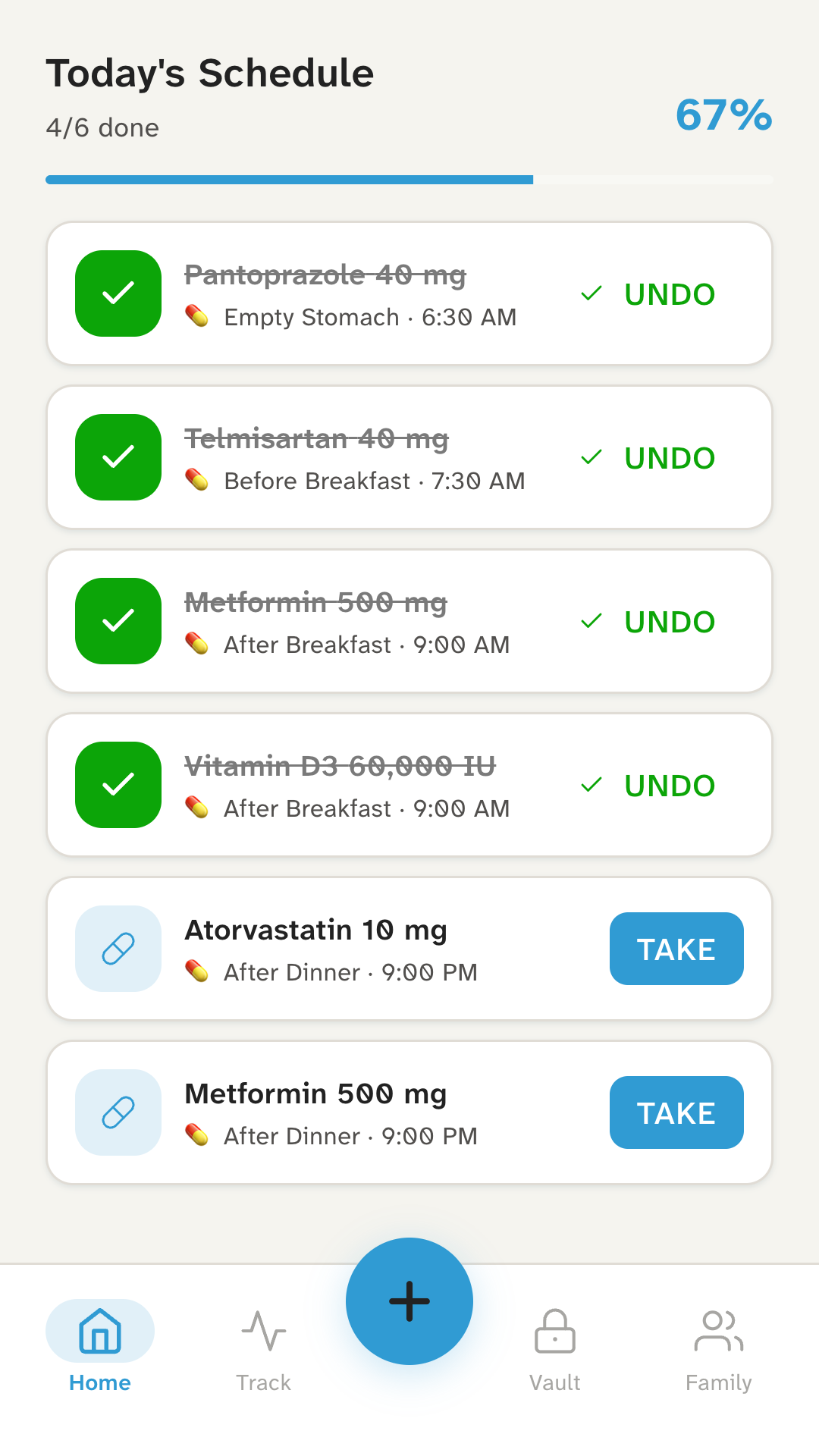
Marked from the reminder. The reminder has a Take button, so you can mark a dose without opening the app. Today’s screen shows what you’ve taken, what you missed and what’s still to come.
Discreet on your lock screen. By default a reminder says only that a dose is due, not which medicine, so nothing sensitive shows to whoever picks up your phone. You can switch names on in Settings.
How it works
Three steps for each medicine.
- 01
Add the medicine.
Its name and dose, as written on your prescription, for example “Telmisartan, 40 mg”.
- 02
Choose when.
Pick the meal times, or a time of your own, and how often: daily, on chosen days, monthly or only when needed.
- 03
Tap Take.
When the reminder comes, take the dose and tap Take. Your day’s list updates.
Who it’s for
For anyone keeping track of several medicines.
If you take tablets for blood pressure, diabetes or thyroid, or something only on Sundays, Kinsu keeps the schedule so you don’t have to hold it in your head.
It’s built for people who manage their own medicines on their own phone. If your parents take medicines, Kinsu on their phone can remind them there; your phone and theirs don’t share anything. Caring for your parents explains what Kinsu can and can’t do for them.
What it doesn’t do
The limits, plainly.
- It doesn’t check your medicines.Kinsu reminds you of what you entered. It doesn’t check doses, timings or how medicines mix: your doctor and pharmacist do.
- It doesn’t tell you to change anything.Never start, stop or change a medicine because of an app. Ask your doctor.
- It doesn’t remind anyone else.Reminders ring on your phone only, and Kinsu sends no alerts to family members.
- It can’t promise every reminder.Reminders are notifications from your phone, so its notification, battery and Do Not Disturb settings decide whether they arrive. If missing a dose could be serious, don’t rely on Kinsu alone.
- It doesn’t sell or deliver medicines.There’s no pharmacy, ordering or refill service in Kinsu.
Questions
Questions about reminders.
Will the reminder show my medicine’s name?
Not unless you choose. By default it says only that a dose is due, so nothing sensitive shows on your lock screen. You can switch names on in Settings.
Can I set a medicine for certain days only?
Yes. Choose daily, weekly on the days you pick, or monthly on a date. A medicine you take only when needed doesn’t send reminders: you note each time you take it.
Can one medicine have more than one time?
Yes. Pick every time you take it, for example before breakfast and after dinner, and each one gets its own reminder.
What if I miss a dose?
Kinsu shows it as missed. What to do next depends on the medicine, so check the leaflet or ask your doctor or pharmacist. If you’re unsure, don’t take an extra dose.
Why didn’t a reminder ring?
Reminders are notifications from your phone, so they depend on its settings. Notifications must be allowed for Kinsu, and battery saving or Do Not Disturb can hold them back. Some phones also stop notifications from apps they put to sleep. If missing a dose could be serious, don’t rely on Kinsu alone.
Be the first to know when Kinsu is on Google Play.
Kinsu isn’t on Google Play yet. Leave your email and we’ll write once, on the day it is.