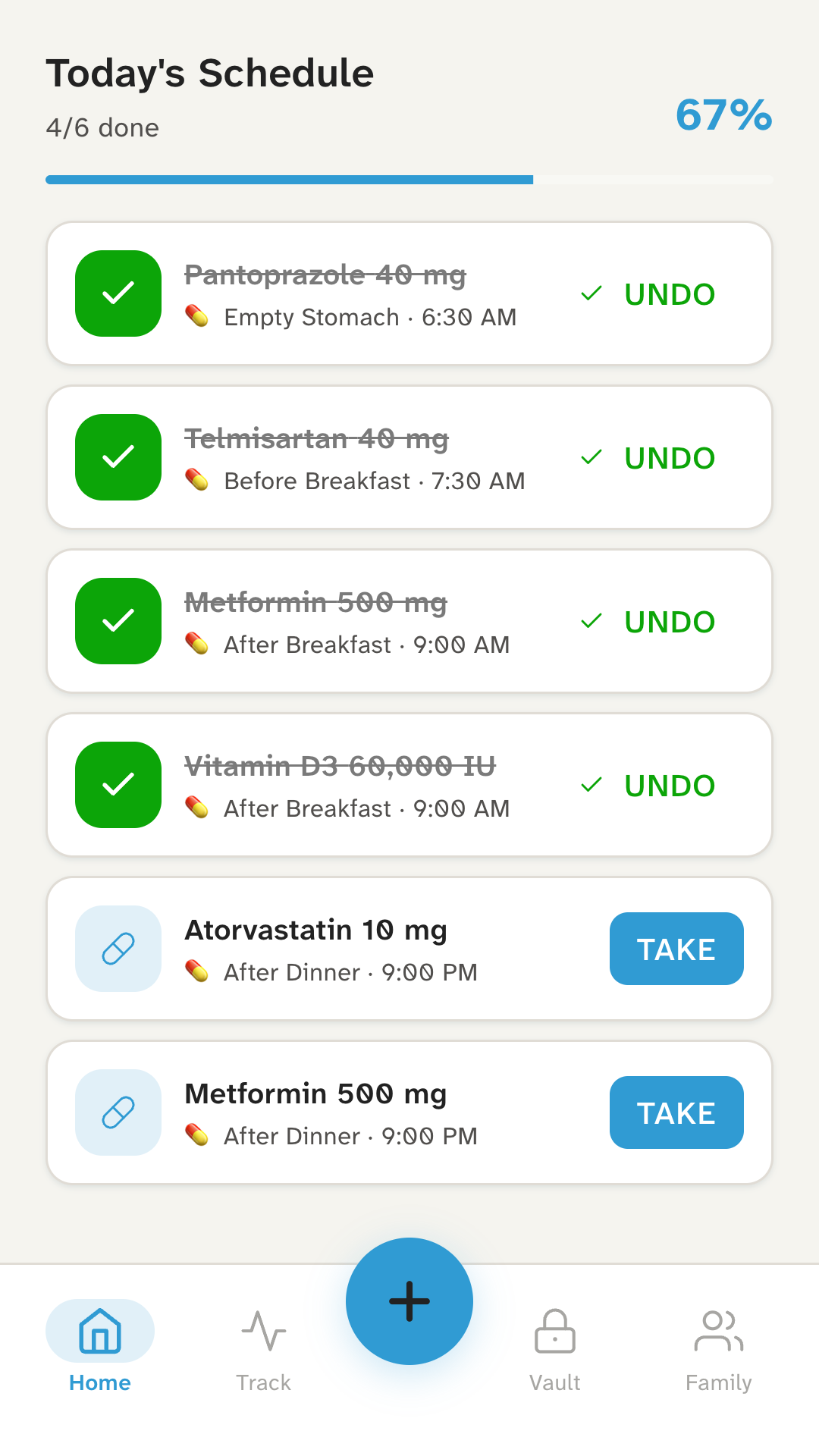
Today
Today’s doses, at a glance.
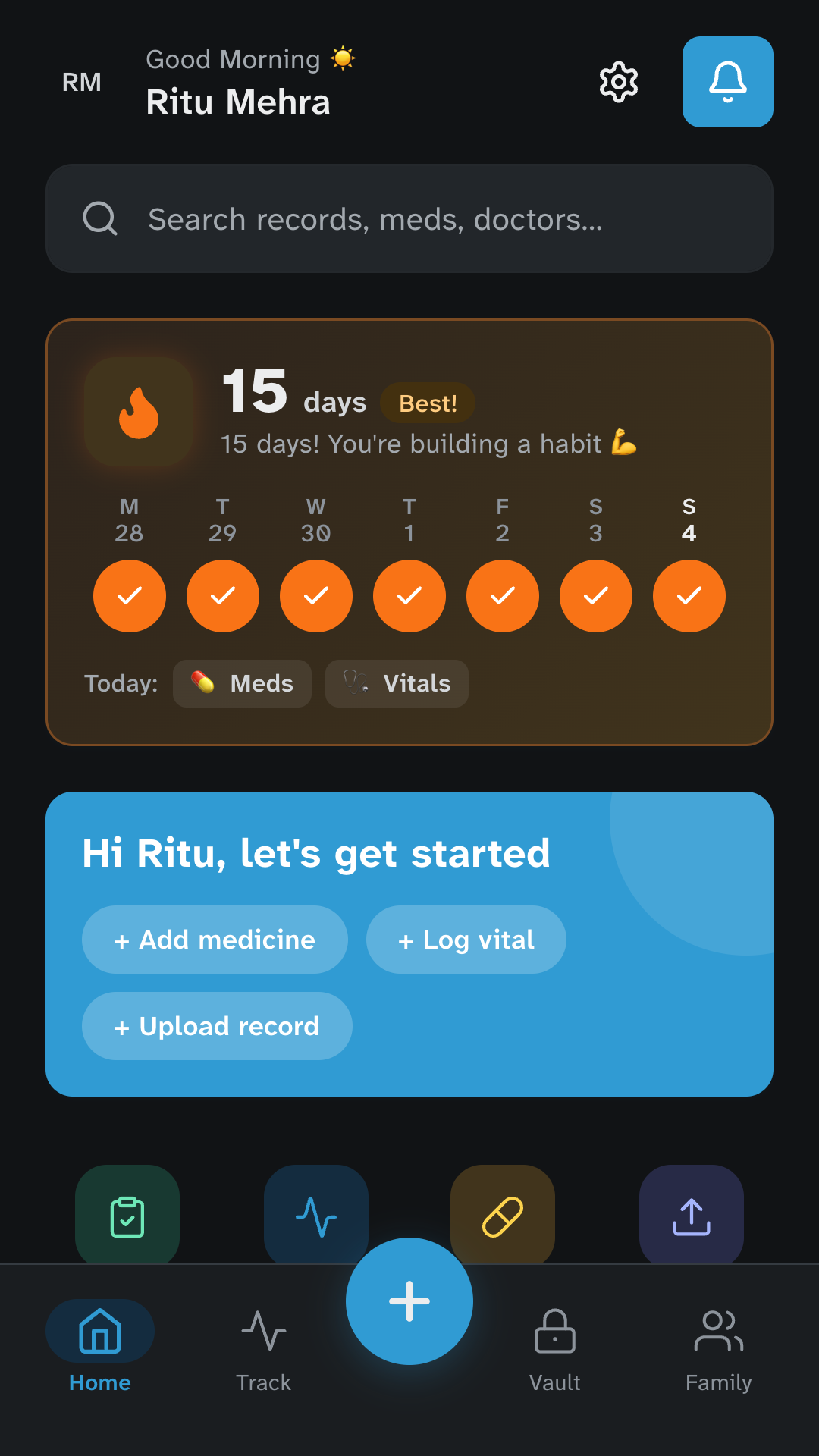
The home screen lists today’s medicines in order, with what you’ve taken and what’s still to come. Tap Take when you take a dose, or Undo if you tapped by mistake.
How it works
Kinsu is one Android app for your medicines, your readings and the family’s medical file. Here’s what you’ll see, and what happens to your data along the way.
Getting started
Kinsu texts a one-time code to your Indian mobile number. Your number is how Kinsu knows it’s you.
Kinsu opens with your fingerprint, face or screen lock, and won’t set up on a phone without one.
If your phone’s security settings ever change, it’s the only way back into your records on that phone. Nobody else has a copy, including us.
Kinsu is for adults: it asks for your date of birth and won’t set up for anyone under 18. It also asks for your consent, once for the app and separately for medicine reminders.
The screens
Today
The home screen lists today’s medicines in order, with what you’ve taken and what’s still to come. Tap Take when you take a dose, or Undo if you tapped by mistake.
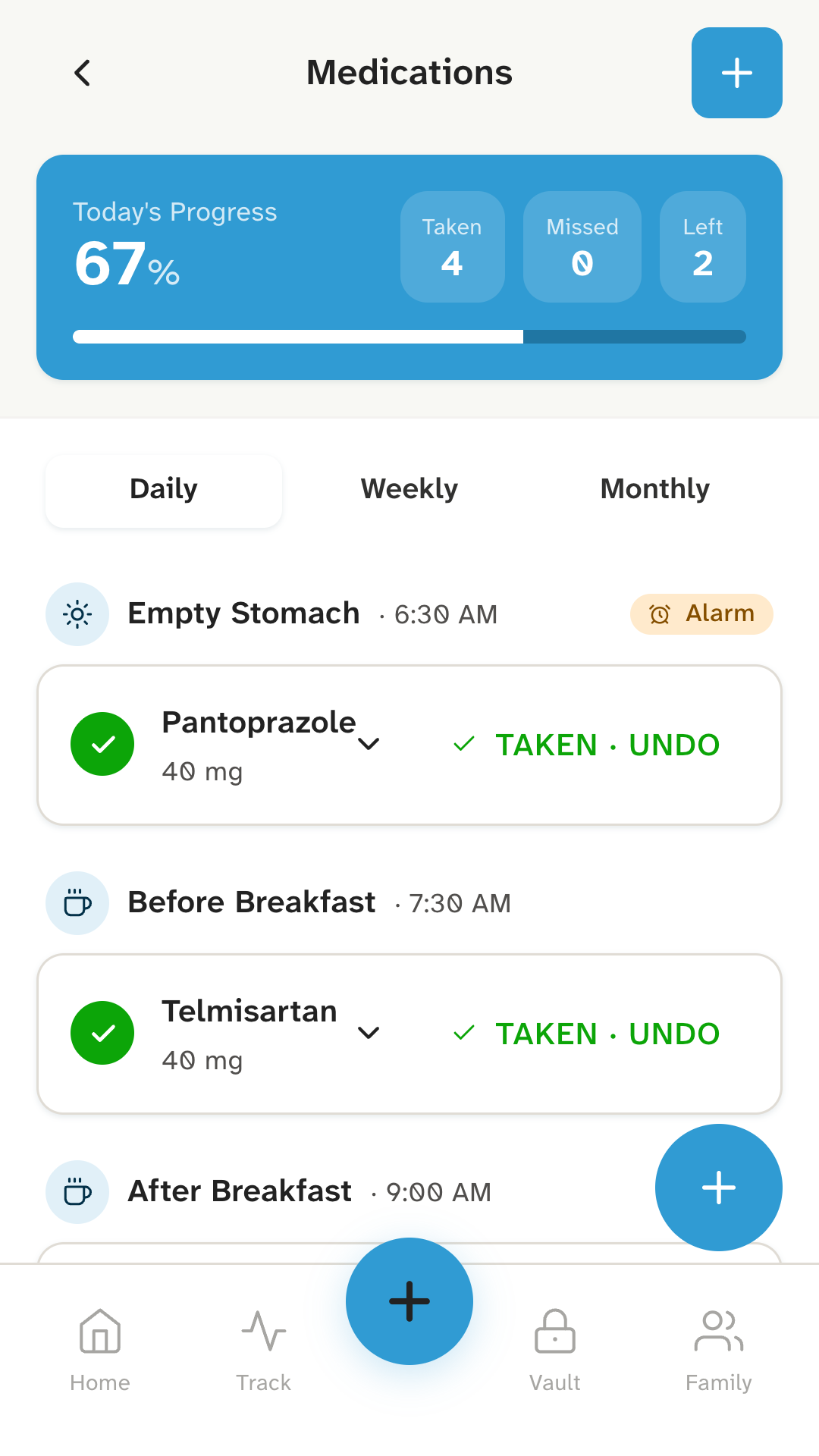
Medicines
Set a medicine for an empty stomach, before or after breakfast, lunch or dinner, bedtime, or a time of your own, and as many times a day as you take it. Daily, on chosen days, monthly, or only when needed.
The reminder has a Take button, so you can mark a dose without opening the app.
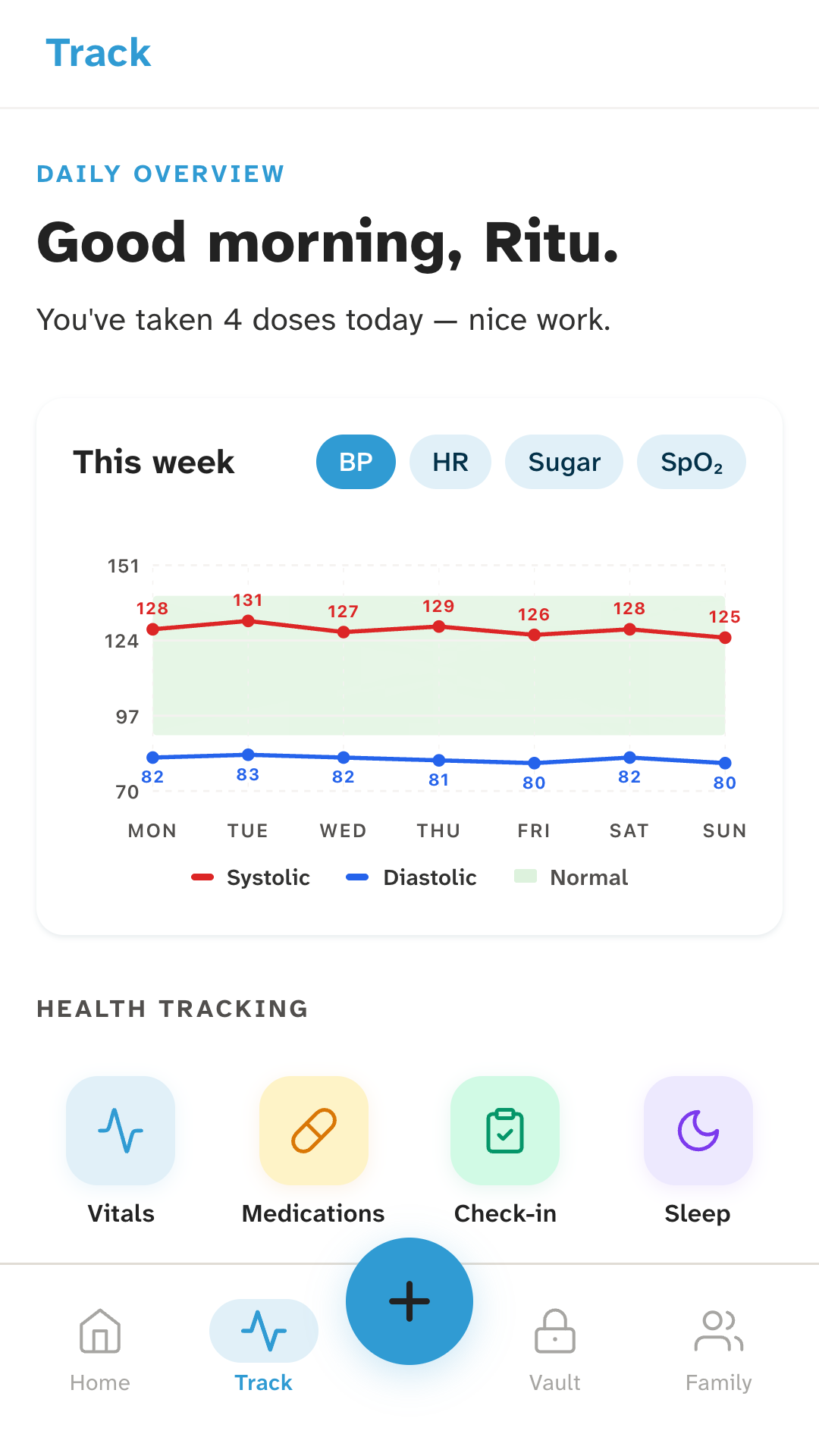
Track
Track brings your readings and logs together: blood pressure, sugar, SpO2 and pulse on a weekly chart, a daily check-in for symptoms, and logs for sleep, mood, diet and exercise.
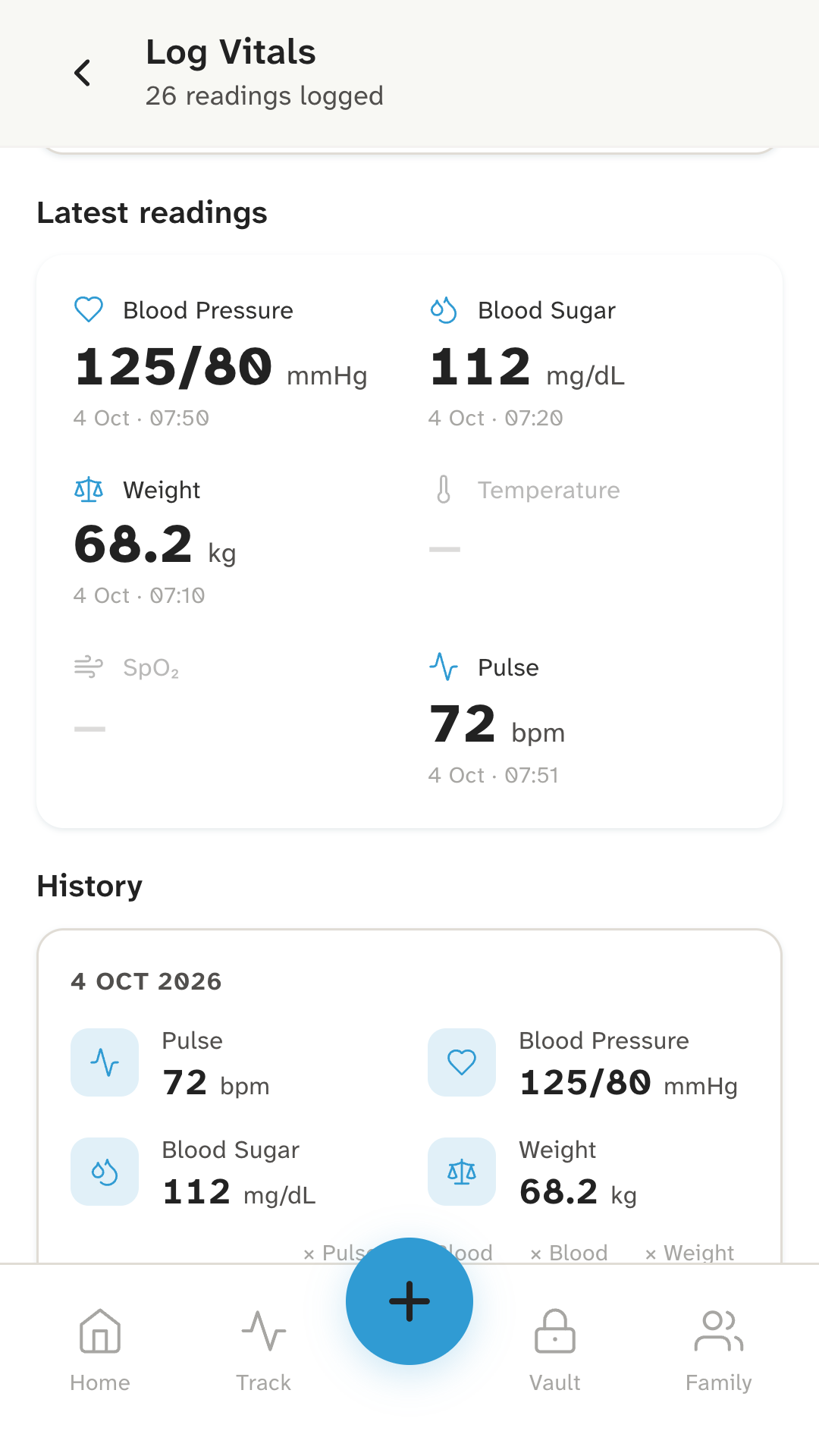
Vitals
Log blood pressure, blood sugar, weight, pulse, SpO2 and temperature. The latest of each sits at the top, and the history below is grouped by day.
Vault
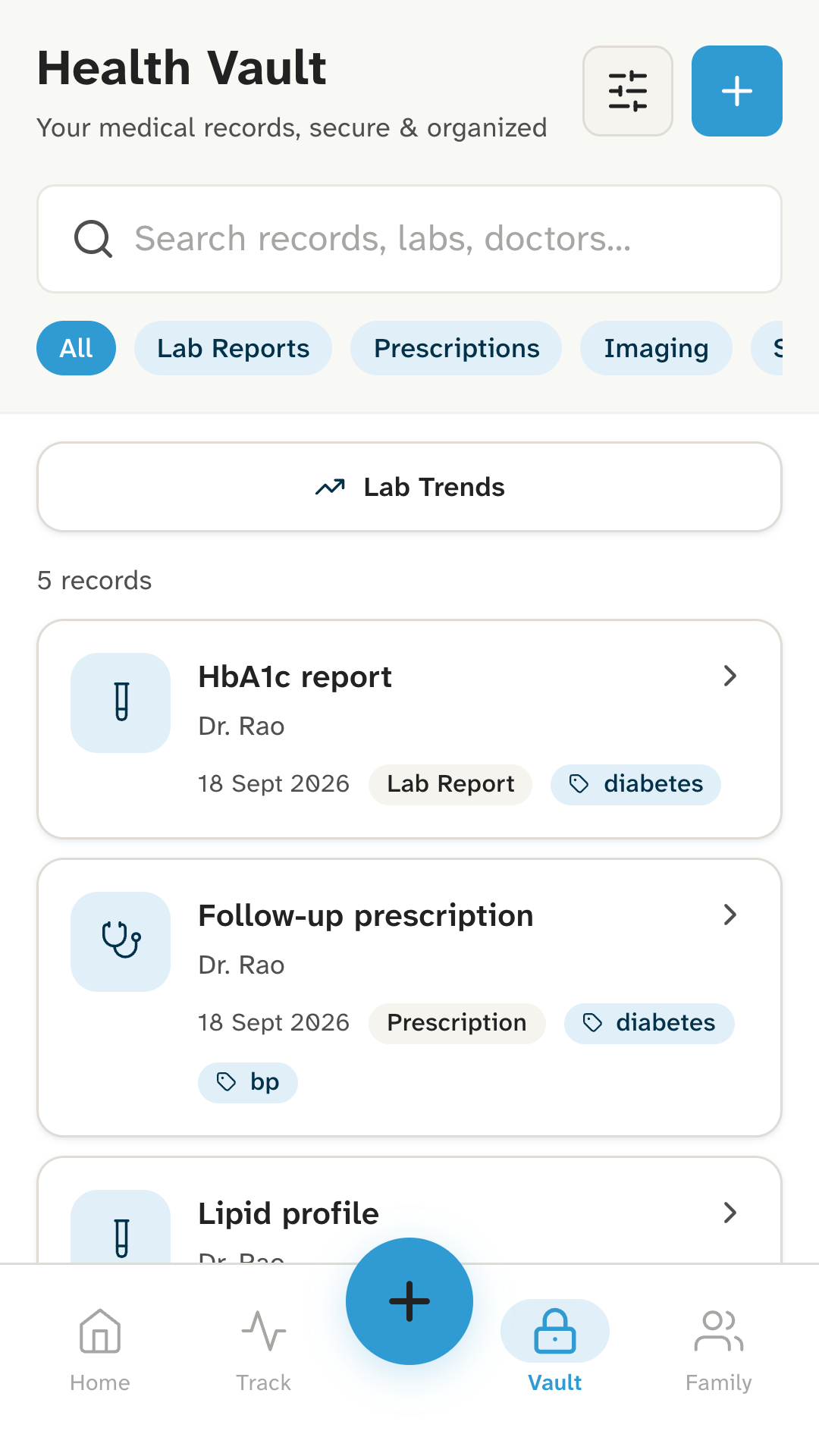
Keep prescriptions, lab reports, scans, discharge summaries and insurance papers. Add them with your camera, from your gallery or as a file, crop a photo to the page, and find them by name, doctor or tag.
Family
Add family members and choose whose a record is when you save it. In the vault, switch between people to see only theirs. Medicines and readings are yours: they aren’t kept per person.
It all stays on your phone. Kinsu doesn’t send anyone’s records to them, or to anyone else.
SOS
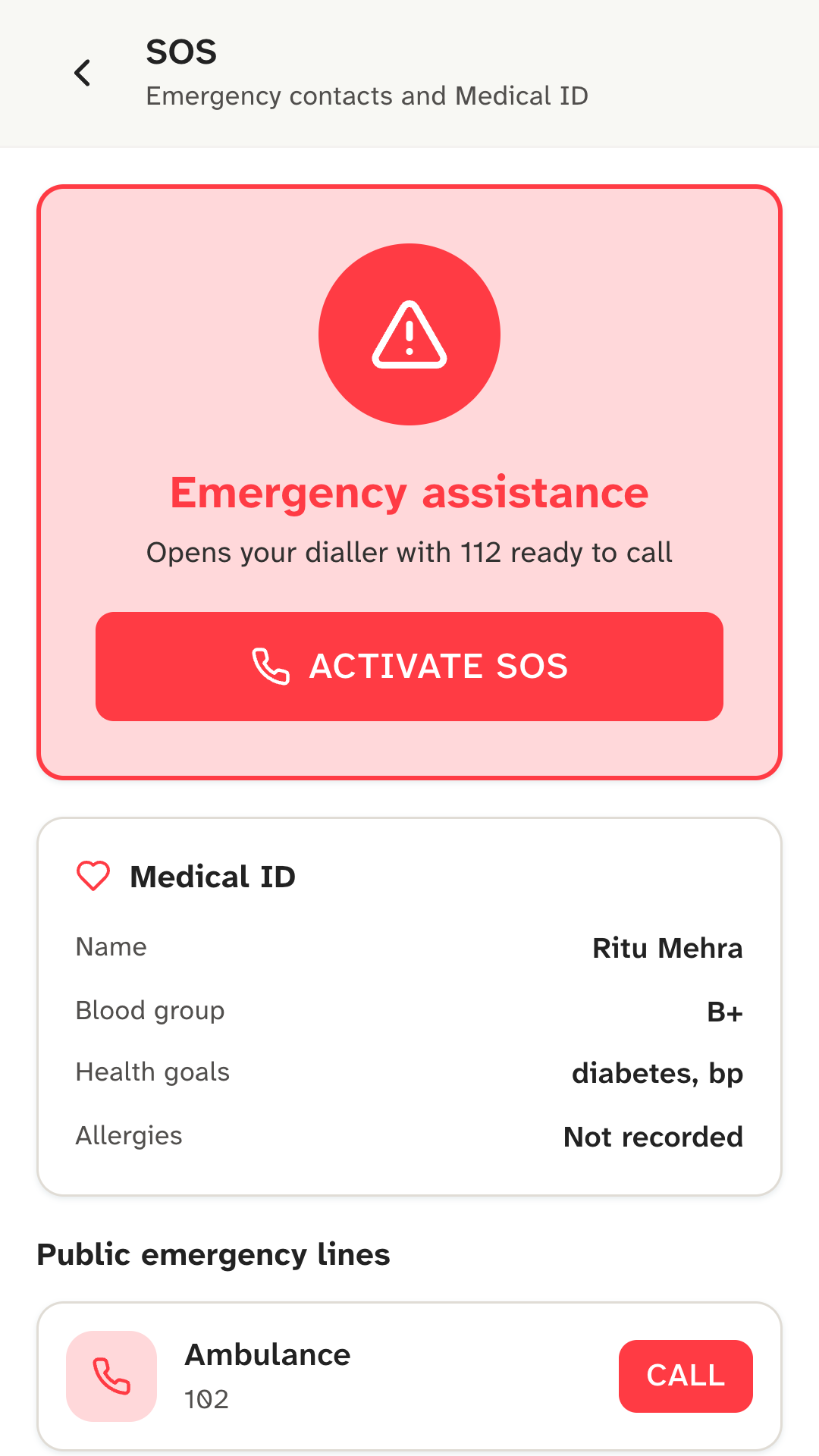
Your Medical ID shows your name, blood group and health goals. Public emergency numbers (112, 102, 1091 and 1066) and your emergency contacts are one tap from the dialler.
SOS opens your phone’s dialler with the number ready. You still press call: Kinsu doesn’t call, message or alert anyone for you, and doesn’t share your location.
Easy to read
Kinsu is set in Atkinson Hyperlegible, a typeface designed for people with low vision, and its dark mode follows your phone.
Your data
Everything you add, encrypted (AES-256):
Two things, both to Google Firebase:
Signing in also sends Firebase the technical details it needs to sign you in safely, such as your IP address.
The honest list
Kinsu isn’t on Google Play yet. Leave your email and we’ll write once, on the day it is.