SOS and Medical ID
Your Medical ID and emergency contacts, one tap away
In an emergency, nobody wants to search for a number or remember a blood group. Kinsu keeps your Medical ID and your emergency contacts together, and opens your dialler for you. You press call.
What it does
The few things a helper needs to know.
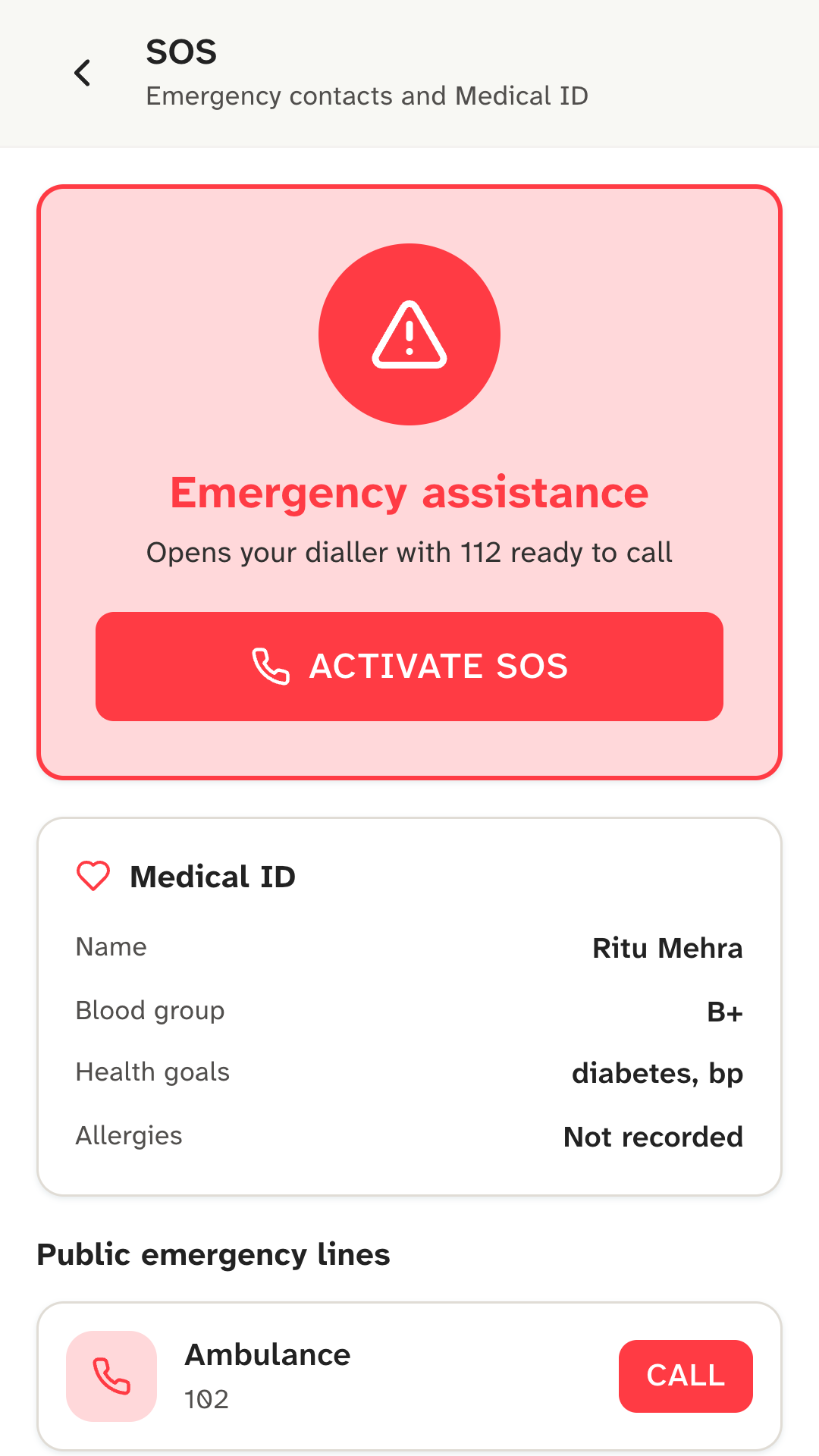
SOS opens your dialler. Tap Activate SOS and, after a short countdown, your phone’s dialler opens with 112, India’s single emergency number, ready to call. You still press call yourself, and you can stop the countdown.
A Medical ID. Your name, your blood group and your health goals, on one card. It has no field for allergies, and the card says “Not recorded” rather than guess.
Public emergency lines. The SOS screen lists public numbers such as 112 and the ambulance line, 102, each with a Call button.
Your emergency contacts. Add the people to call first, with their phone numbers. Tapping one opens your dialler with their number in it.
How it works
Set it up once, before you need it.
- 01
Fill in your profile.
Add your name and blood group. They appear on your Medical ID.
- 02
Add your emergency contacts.
On the SOS screen, save the people who should be called first, with their phone numbers.
- 03
Know where it is.
SOS is one of the tabs in Kinsu. Show a family member where it is.
Who it’s for
For anyone who might need help in a hurry.
If you live alone, take regular medicines, or have a long-term condition, it helps to have your blood group and your contacts in one place. If you look after someone, show them where SOS is on their phone, and make sure the contacts are the people they’d want called.
It takes five minutes to set up, and you hope never to use it.
One important thing
Kinsu is locked, so also set up your phone’s own emergency information.
Kinsu opens only with your fingerprint, face or screen lock. That keeps your records private, and it means a stranger can’t read your Medical ID without unlocking your phone.
Android phones have their own emergency information, which can be shown from the lock screen. Set that up too, with your blood group, allergies and contacts, so anyone helping you can see it. More on how Kinsu protects your data is in privacy and security.
What it doesn’t do
The limits, plainly.
- It calls no one for you.SOS opens your dialler and stops there. You press call.
- It sends no alerts or location.Kinsu can’t message your contacts, share where you are, or tell anyone you pressed SOS.
- It can’t make a call connect.It uses your phone’s own dialler, so mobile coverage decides whether the call goes through.
- It doesn’t record allergies.There’s no allergy field in the Medical ID yet.
- It isn’t a medical device.In an emergency, call 112 or your nearest hospital.
Questions
Questions about SOS and Medical ID.
Does SOS call or message anyone for me?
No. SOS opens your phone’s dialler with 112 ready, and you press call yourself. Tapping one of your emergency contacts also opens the dialler. Kinsu doesn’t send alerts, messages or your location to anyone.
Can a stranger see my Medical ID without unlocking my phone?
No. Your Medical ID is inside Kinsu, which opens only with your fingerprint, face or screen lock. It holds your name, blood group and health goals, and has no allergies field. For people helping you, also set up the emergency information that Android shows on the lock screen.
Be the first to know when Kinsu is on Google Play.
Kinsu isn’t on Google Play yet. Leave your email and we’ll write once, on the day it is.